
Validate with users
Find problems before writing code.
Before you invest in development, see and try your app. We create clickable Figma prototypes that feel like the real app: you can tap through them on your phone, show them to users, present them to investors or partners, and use them to get much more accurate development quotes.
Updated:
Your app, before it exists
900+ projects delivered
The Figma prototype types we're asked for most, so you can find yours.
Find problems before writing code.
Show your vision in a tangible way.
Define the exact scope.
MVP development for startupsMove on to the final UI/UX design.
App UI/UX designA prototype that helps you decide.

We design before we code, deliver in versions you can test on your phone, and support you through launch and later improvements.
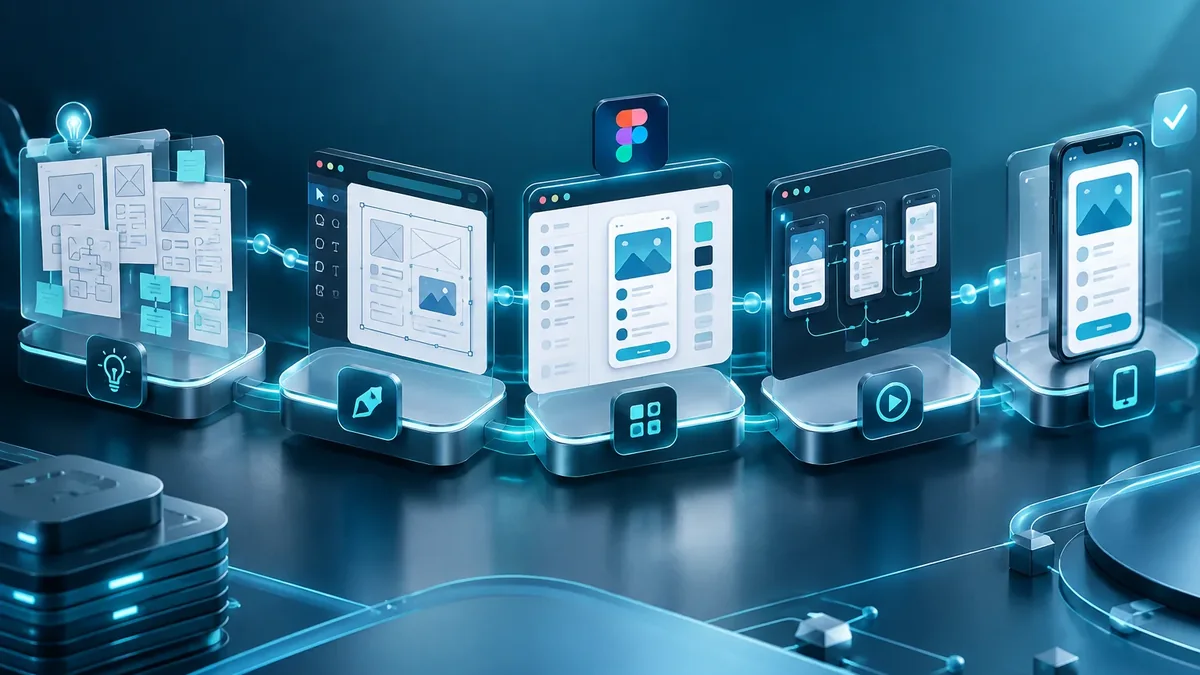
We define users, goals, must-have features, and what can wait for a second version.
You: tell us about the idea and your users
You get: the scope of the first version
We create the screen flow and a clickable Figma prototype to validate it before coding.
You: test the prototype on your phone
You get: an approved prototype
We build in short cycles and deliver installable test versions.
You: test each version
You get: a working test app
We test on multiple devices and publish on Google Play, the App Store, or your own domain.
You: give us access to your store accounts
You get: a published app
We measure usage, fix issues, and plan the next versions.
You: share your feedback
You get: a release plan and support
Three questions to find out whether your priority is to design, redesign, modernize or maintain.
We recommend
UI/UX design
We recommend
Enterprise software interfaces
We recommend
Figma prototype
We recommend
Modernize your app
We recommend
Maintenance and support
Who uses them most.
Validation and investment.
Align departments before in-house development.
Define requirements before hiring developers.
A prototype costs a fraction of development and avoids rework.
Have an app idea? Start by seeing it work in a prototype.
No. It looks and clicks like the app, but it doesn't store data or have real logic; it's for validation.
Yes, with the Figma app or a link in the browser.
Yes. If it's taken to high fidelity, developers use it as an exact reference.
A prototype of the main flows is usually ready in a few weeks.
People also search for this as an app prototype, interactive mockup or clickable prototype. It ties in with Figma prototypes, wireframes, usability testing, technical support and updates, which we review with you when your project needs them.
Can’t find your question?
Services that often complement the development of this app.
Tell us your idea and what you'll use the prototype for: validating, raising investment or getting quotes.
We reply during business hours (Bogotá time, UTC-5), usually the same day.
