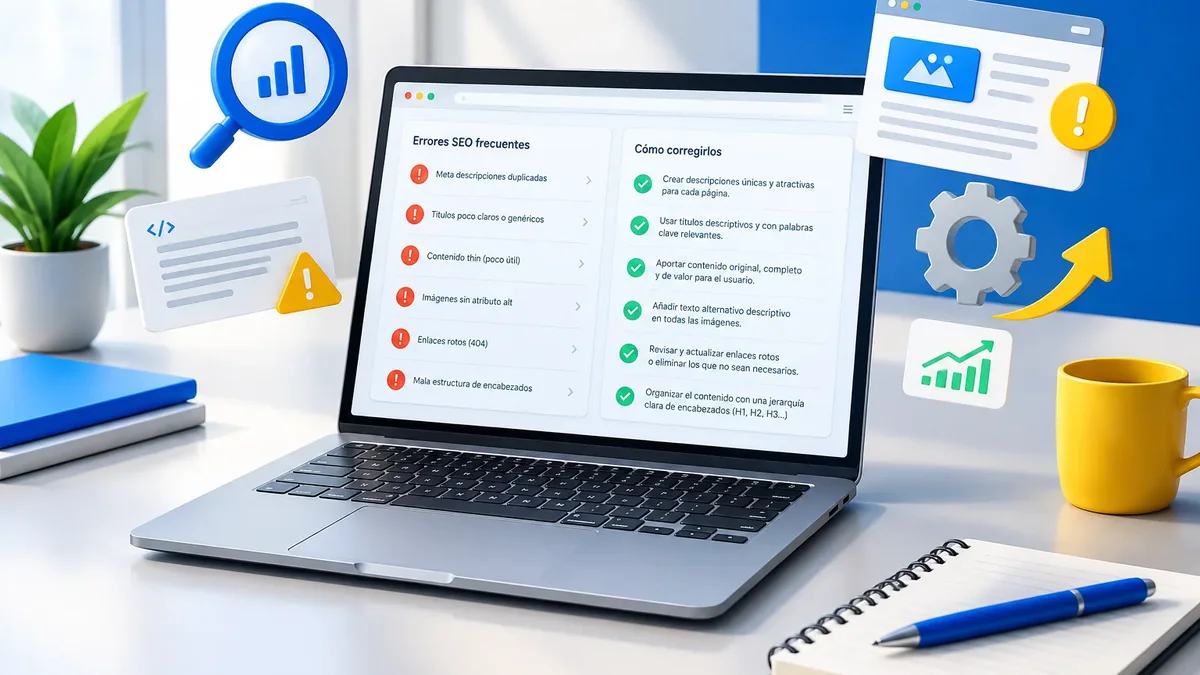
Your website can look great and still lose customers every day. It loads slowly, the WhatsApp button doesn't show up on mobile, and Google isn't indexing half your pages. Website optimization means finding those leaks and plugging them.
In 2023, we published the five most important things for optimizing a website. Three years later, the list still holds, but the tools, the metrics, and the way people search have changed. This is the updated version.
1. Speed and stability
Speed is still the first impression. Today Google measures it with Core Web Vitals: how long the main content takes to appear (LCP), how fast the page responds when you tap it (INP), and whether elements shift while it loads (CLS). We explain each one in our Core Web Vitals guide.
The highest-impact improvements tend to be the same:
- Compress images and convert them to modern formats like WebP or AVIF.
- Remove unused plugins, scripts, and fonts.
- Use caching and a content delivery network (CDN).
- Choose hosting that matches the site's actual traffic.
- Lazy-load anything that isn't visible at first, like maps and videos.
If your site is already live and feels slow, well-done website speed optimization usually delivers visible results quickly.
Watch out for one detail: the PageSpeed Insights lab test is useful for spotting problems, but what Google uses is data from real Chrome users. That's why a site can score well on the test and still have mediocre field metrics. Check both and pay more attention to the real-world experience.
2. Mobile experience
A site that merely “adapts” to mobile is no longer enough. It has to be easy to use with one hand. Check these points on your own phone:
- Is it clear what you offer on the first screen, without scrolling?
- Are buttons big enough to tap without mistakes?
- Does the form ask only for the information you need?
- Is the WhatsApp or call button always within reach?
- Can the text be read without zooming in?
3. Clear, up-to-date content
An optimized site quickly answers the three questions every visitor has: what you do, who it's for, and how to contact you. It also keeps information current. Old dates, services you no longer offer, or outdated prices erode trust.
Review each important page with this question: if this were my first visit, would I have what I need to decide? If you need inspiration on what to include, see our guide to must-have website content.
4. Technical SEO and structure
Google and AI-powered search engines need to understand your site. That depends on an organized structure:
| Element | What to check | Tool |
|---|---|---|
| Indexing | Make sure your important pages are on Google | Google Search Console |
| Headings and subheadings | Unique, clear, and logically structured | Manual review or SEO crawler |
| Internal links | Make sure every key page gets links | Sitemap and crawler |
| Structured data | Company, services, FAQs, products | Google Rich Results Test |
| Security | SSL certificate and up-to-date software | Browser and hosting control panel |
A technical SEO review checks these points in depth and gives you a prioritized list. Security is also part of optimization: a site running outdated WordPress, themes, or plugins puts your data and reputation at risk.
5. Conversion: from visitor to customer
More traffic is pointless if visitors don't reach out. Conversion optimization reviews the entire journey: from the moment someone lands on your site until they send a message or make a purchase.
- One main call to action per page, visible and specific.
- Trust signals: real reviews, case studies, client logos (with permission), and a guarantee.
- Short forms with a clear privacy policy, as required by the rules that apply to your company.
- Tracking of every click to WhatsApp, call, or form in Google Analytics 4.
For a more complete approach, conversion-focused web design builds on these principles from the very first sketch.
Key point: Don't try to optimize everything at once. Measure first, fix what affects customers most, and measure again. One well-measured change is worth more than ten blind ones.
Monthly checklist
Optimization works better as a habit than as a one-off project. Set aside one hour a month to review these points. If something changes suddenly, investigate before the problem grows.
- Indexed pages and new errors in Google Search Console.
- Search queries gaining or losing clicks compared with the previous month.
- PageSpeed Insights score for the homepage and two key service pages.
- Forms and WhatsApp buttons: run a real test and confirm the message arrives.
- Pending WordPress, theme, and plugin updates, always with a backup first.
- Broken internal and external links.
- Copy with dates, promotions, or details that no longer apply.
If you don't have the time or team to do it, a website maintenance plan can handle the technical side and let you know when something needs a business decision.
How to prioritize when you're short on time
If you can only do three things this month, start here: fix the indexing errors Search Console shows, lighten the images on your homepage and main service pages, and make sure your contact button works and is tracked. That gives you a solid foundation to move on to a Google SEO plan.
Want to know what's slowing your site down? We'll help you measure it and prioritize improvements by impact.
Talk to an advisor