

Automated collections: receivables up to date without chasing anyone
Getting paid shouldn’t depend on someone having time to make calls. We automate collections with staggered messages before and after the due date, payment links, a receivables aging report that updates itself, and alerts when a customer needs a human call. Your receivables stay organized, the tone with customers stays friendly, and your team spends its time on the cases that truly require negotiation.
Updated:
- Reminders before the due date
- Accounts receivable aging, always up to date
- Calls only where they’re needed
Getting paid without chasing
10 years building for businesses
Collections scenarios we automate
Every business collects differently; we tailor the workflow to yours.
-
Recurring payments
Installments, monthly fees, and subscriptions.
-
Invoices on credit terms
Business customers on 30-, 60-, or 90-day terms.
-
General reminders
Due-date notices that aren’t collection notices.
Notification and reminder automation
What collections automation includes
A collections sequence that respects the customer and doesn’t forget anyone.
Collection sequences
- Messages before, on, and after the due date.
- A tone that escalates gradually and stays polite.
- Delivery by WhatsApp, email, or SMS, depending on the customer.
Payments
- A payment link or bank transfer details in every message.
- Payment logged and reminders stopped automatically.
- Confirmation to the customer that their payment was received.
Progress tracking
- Accounts receivable aging updated daily.
- Tasks for the collector when an account passes a set deadline.
- Records payment agreements and promises to pay.
How we automate your collections
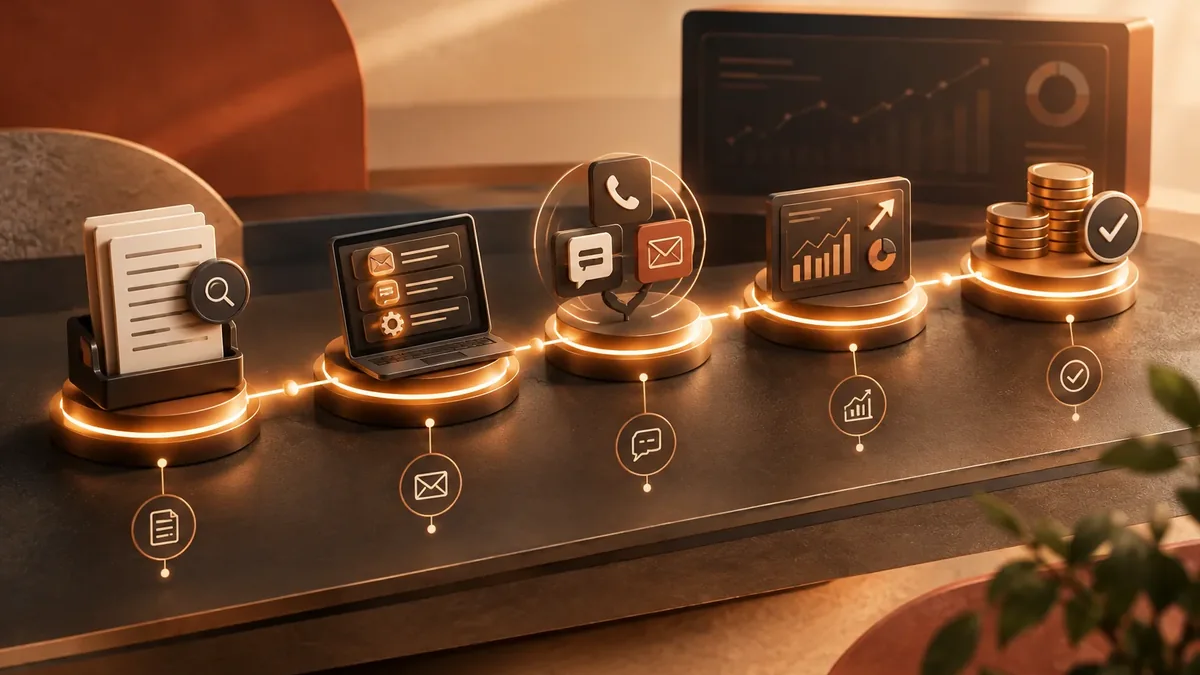
We start with the process that takes up the most of your time, automate it, measure the savings, and move on to the next one. No never-ending projects.
-
Step 1: Process mapping
We look at how the task is done today, who does it, how long it takes, and which tools it lives in.
You: walk us through the process step by step
You get: a process map and the current time spent -
Step 2: Workflow design
We define triggers, rules, exceptions, and the points where a person steps in.
You: validate the rules and exceptions
You get: a diagram of the automated workflow -
Step 3: Build and testing
We build the workflow with test data and run it alongside the manual process.
You: review the test results
You get: an automation working in testing -
Step 4: Go-live
We activate the workflow, set up error alerts, and train whoever supervises it.
You: appoint an internal owner
You get: a live workflow and an operations guide -
Step 5: Measurement and fine-tuning
We compare time spent and errors before and after, and fine-tune as needed.
You: report special cases to us
You get: a savings report and adjustments
Which process should you automate first? Find out in a minute
Four questions to find the automation with the best return for your business.
We recommend
Automate an entire process
We recommend
Automate administrative tasks
We recommend
Automate notifications and reminders
We recommend
Automate order management
We recommend
Automate HR processes
We recommend
Automate tasks with artificial intelligence
Automated collections by industry
Businesses where steady collections keep cash flowing.

Schools and institutes
Tuition and enrollment fees, with reminders to parents and guardians.
Real estate and property management
Rent payments and HOA fees.
Distributors
Credit invoices to retailers and business customers.
Manual vs. automated collections
Receivables pile up when follow-up depends on someone’s memory.
| Aspect | Manual collections | Collections automated by PACOWEB |
|---|---|---|
| Consistency | Collections happen when someone has time. | Every invoice gets its reminders on time. |
| Customer relationship | Tense last-minute calls. | Friendly reminders before the due date. |
| Visibility | Receivables updated whenever someone builds the report. | Receivables aging available every day. |
| How it differs from reminders | A one-off alert doesn’t record payments or agreements. | The workflow knows who paid, who promised to pay, and who needs a call. |
How much of your receivables is past due because nobody followed up? Tell us how you collect today and we’ll propose a sequence.
FAQ about accounts receivable and collections automation
Won’t customers get annoyed by so many messages?
We design the sequence with reasonable frequency and tone, and it stops as soon as the payment is recorded. A timely reminder is usually better received than a late collection call.
Does it connect to my invoicing system?
Yes. We pull open invoices from your accounting software, ERP, or a spreadsheet, and mark them paid when the payment comes in.
What happens with customers who don’t respond?
After the deadline you set, the workflow creates a task for someone on your team to call. The automation doesn’t negotiate payment arrangements; it records them.
How much does collections automation cost?
It depends on the channels, your invoicing system, and the number of rules. Once we understand your process, we send you a fixed-price proposal.
What else is accounts receivable and collections automation called?
People also search for this as automatic payment reminders, automated receivables management, collections software, or payment collection automation. It relates to RPA, workflows, n8n, Make, Zapier, and repetitive tasks, topics we review with you when the project calls for them.
Can’t find your question?
Related services
Automations that usually go hand in hand with this one.
Get a quote for collections automation
Tell us how many invoices you issue a month, how you collect today, and which invoicing system you use. We’ll get back to you with a proposal.
- 1You contact us through the form or on WhatsApp.
- 2We talk about your business and what you need.
- 3You get the proposal in writing, with scope, timeline, and price.

Request your proposal
We reply during business hours (Bogotá time, UTC-5), usually the same day.